¶ General information
To store Kaspa you can make a “paper” wallet. There's an open source tool for creating instances of it, which is written by one of the Kaspa core developers, @svarog.
Archives with executable files are located here: https://github.com/svarogg/kaspaper/releases/latest.
The source code of the tool is available in the same repository.
The wallet operation principle:
- It is created by generating on your computer's hard drive.
- This generation places a resulting HTML file to a location of your choice on your PC.
- A resulting HTML can then be opened in a browser.
- No internet connection is required for this process, and it is even contraindicated.
- The viewed HTML page should then be printed from the screen on the printer, or its public address copied and its seed phrase is written down on paper by hands.
¶ What does it look like
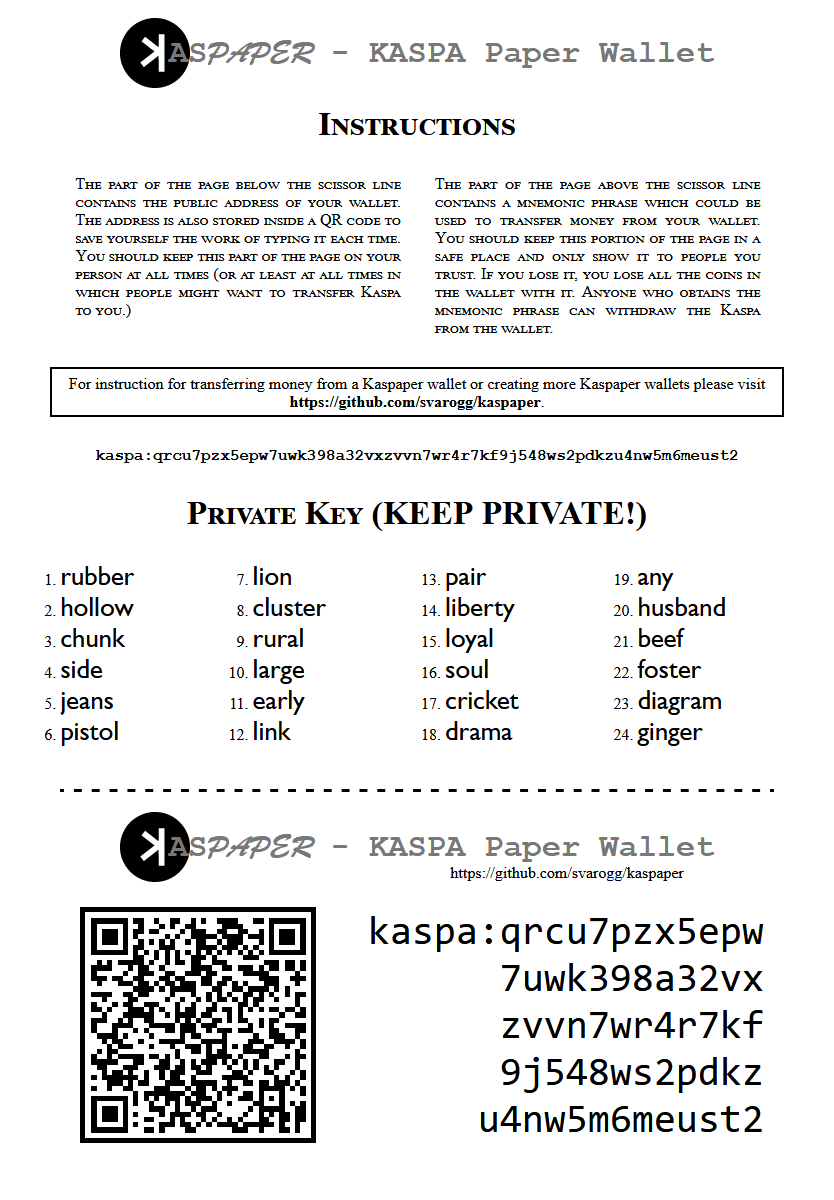
Here's the sample of what it will look like when you open the generated HTML page in your browser:
¶ Creating the wallet
For this example, we will be using Windows. The similar approach applies to other OSes as well.
¶ Making the wallet truly cold
If you want your wallet to be considered a cold storage wallet, after downloading the application you should first transfer it to another PC that is not and will not (and ideally, was never) connected to the internet, and do all of the following steps only there.
¶ Downloading
Download the executable for your operating system by clicking here, for instance for Microsoft Windows it would be kaspaper-v0.0.3-win64.zip archive.

¶ Unzipping
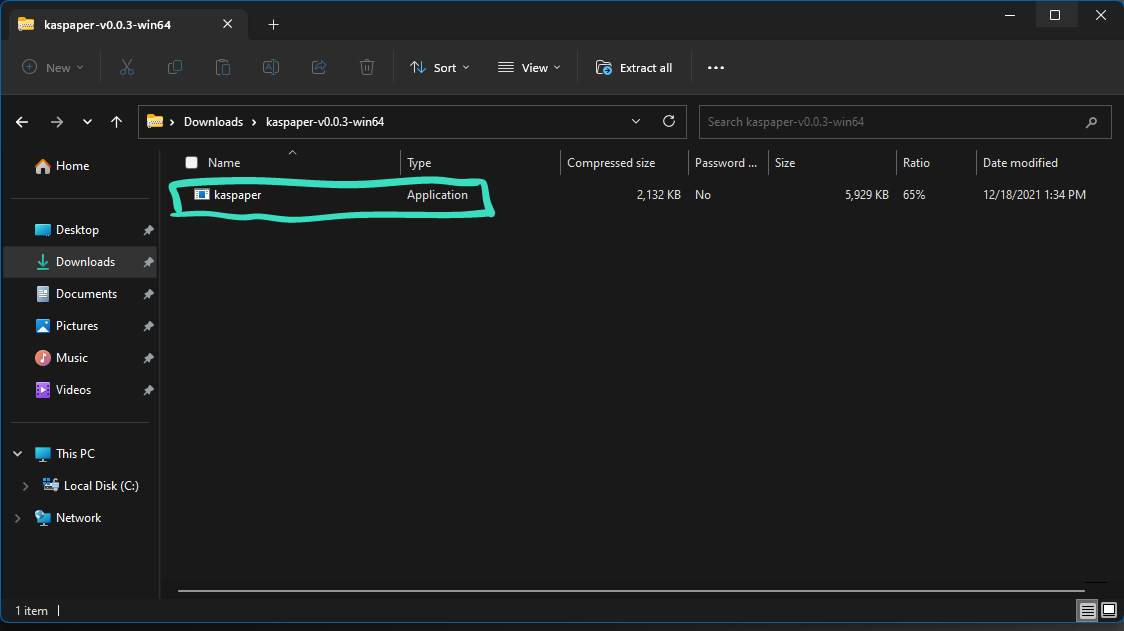
Find the zip folder in your downloads, open it, and you should see a kaspaper application. You do *NOT* have to run this yet, just make sure its there.
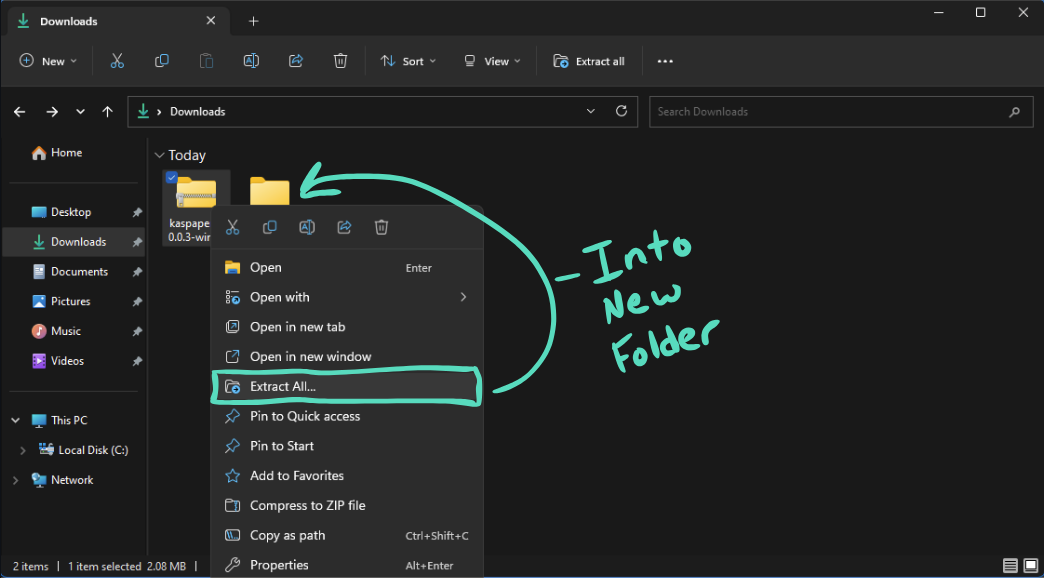
Go back to your downloads and extract everything in the zip folder to a new folder and name it whatever you want
¶ Generation of the wallet
We now need to grab the source of where your new folder with the kaspaper application is. Right-click on the application -> click properties

Copy the source address location

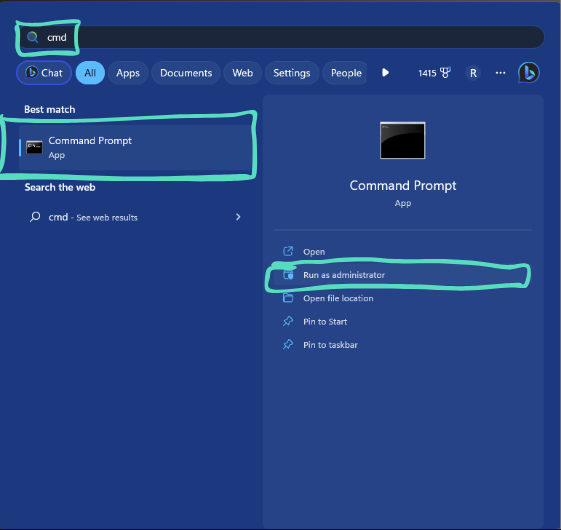
Go to the Windows search bar, enter “cmd”, and click or right-click to run as administrator
Paste in the source you just copied and remove C: from the source. It should look like this
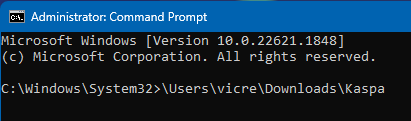
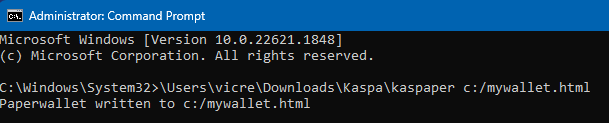
Next to it, add this command: \kaspaper c:/mywallet.html

Click Enter and you should see this:
¶ Viewing the wallet
Go to your C: drive and look for the document that says mywallet


Congratulations! Open your document in any browser, and you should now have your very own seed phrase and wallet address. Print this out, delete the file, and make sure you keep it safe!
Keep the printed copy of the created page in a safe place. Anyone can get full access to your coins if they have this printout, including spending coins or transferring them to their own wallet. The seed phrase is the absolute key to all wallet coins. The password that you usually put on the wallet when you create it does not protect the seed phrase openly printed, and does not prevent coins from being spent by a 3rd party if the seed phrase is compromised.
¶ Spending Coins
To later spend coins from that wallet, you'll have, theoretically, import its seed phrase to any wallet supporting 24-words seed phrase. On practice, however, some wallets may encounter difficulties because different wallets slightly vary in how they generate the chain of derived addresses from the seed phrase. Due to it, some wallets may not see this one specific address where you deposited the coins. Others, however, will see it. The guaranteed, tested option is the CLI wallet. To use it, install it from Kaspa core files set and import the printed seed phrase there. You'll then have all the usual functionality of the CLI wallet.
If you conduct an experiment with another wallet and succeed in doing so, please inform us in the Kaspa Discord in the #wiki channel so that we can supplement this section with your data.